How to track wallets on Solana
Want to print? Track wallets and follow smart money. The most profitable traders track wallets like beasts. You can do it too. It's free and takes five steps.
-
Copy a wallet from the leaderboard
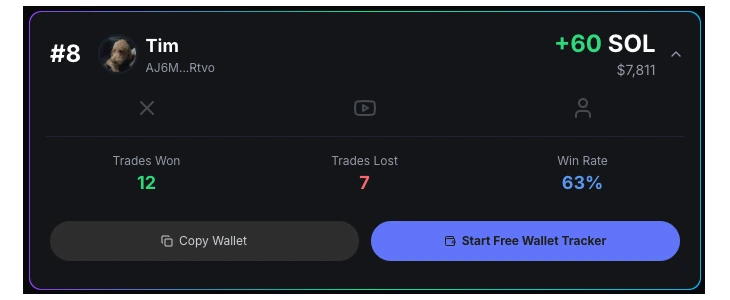
Pick any trader on the 24h, 7 day or 30 day leaderboard and tap their wallet address. It copies to your clipboard.
-
Open Wallet Tracker in Axiom
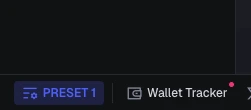
Sign up to Axiom with code bullrun (free, takes a minute). In the bottom-left corner of the Axiom screen, click Wallet Tracker.
-
Click Add Wallet
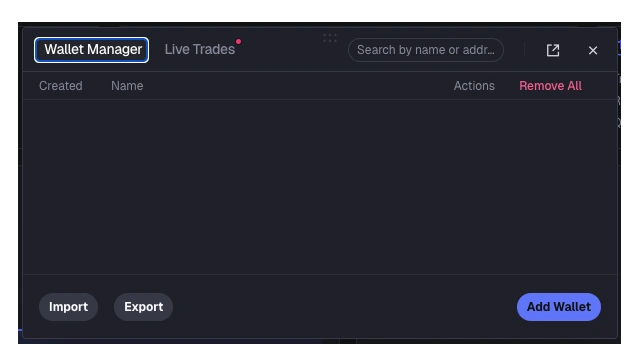
The Wallet Manager opens. Hit the Add Wallet button on the right.
-
Paste the address and name it
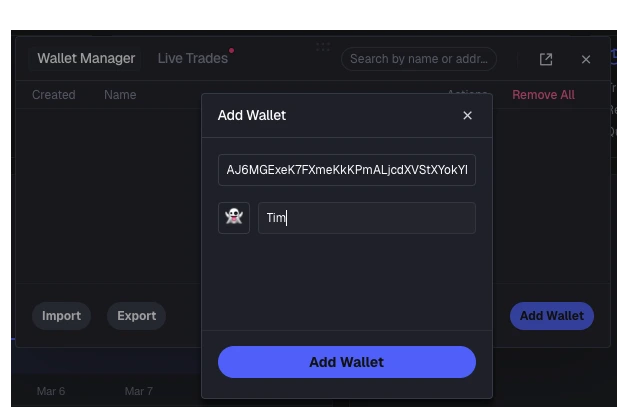
Paste the wallet you copied, give it the trader's name and an emoji so you recognise it in your feed, then save.
-
Turn on alerts
Click the bell on the wallet row. From now on you get a notification every time that trader buys or sells. Repeat for as many wallets as you like.
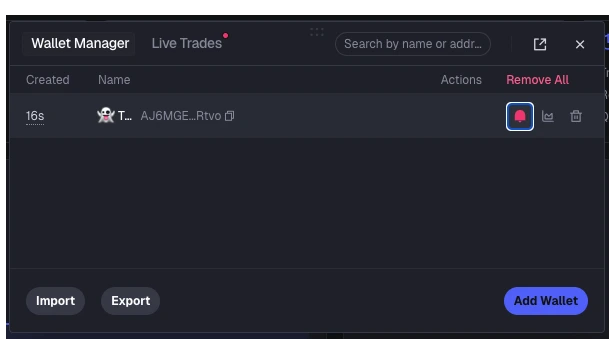
You're now tracking the best Solana wallets
Axiom works on Solana, Base, BNB, HYPE and more, so one account covers every chain the top traders move on.
Start free wallet trackerWhy track wallets at all?
The traders on our leaderboard are grinding the trenches 18 hours a day. They see launches, narratives and rotations before anyone else. Tracking their wallets gives you that information for free, in real time, without paying for a signal group. You won't copy every trade, but you'll learn what the best are buying, how long they hold and when they cut.
Which wallets should I track?
Start with the 7 day and 30 day boards rather than the 24h one. A big single day can be one lucky bag; a trader who's green over a month has a process. Pick five or six with a healthy win rate, track them for a week and see whose alerts you actually act on.